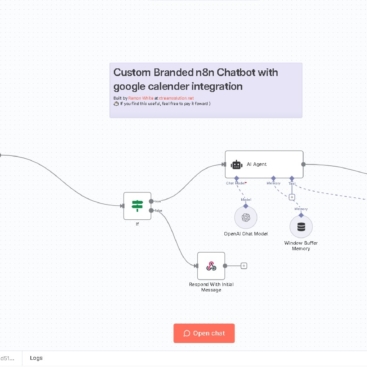
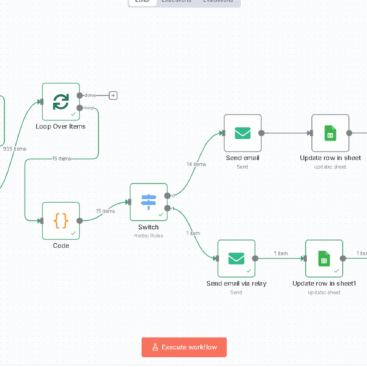
This guide walks you through building a serverless AI-powered publishing system that fetches AI news, rewrites it with GPT, and posts it directly to your WordPress site — without touching sensitive data like passwords or API keys in this tutorial.
✅ Overview
The system:
- Fetches trending news from an AI news API
- Filters and parses relevant articles
- Scrapes full HTML content
- Cleans, extracts, and rewrites with GPT
- Formats final content
- Publishes directly to WordPress
- Notifies Slack (optional)
🧩 n8n Workflow Breakdown
🔹 1. Schedule Trigger
Runs your automation at regular intervals (e.g., every 6 hours or daily).
Node: Schedule Trigger
- Configure for your desired frequency (e.g., every 6 hours)
🔹 2. Fetch AI News
Uses a news API (e.g., NewsAPI or Bing News Search) to retrieve the latest AI-related articles.
Node: HTTP Request
- Method:
GET - Endpoint: Example –
https://newsapi.org/v2/everything?q=artificial+intelligence - Return only article fields like
title,url,source,publishedAt,description.
🔹 3. Extract articles[] Array
Extracts the articles array from the JSON response.
Node: Set or Function
- Outputs: array of individual articles to process
🔹 4. Loop Over Items
Iterates through each article to scrape full content.
Node: Loop Over Items
🔹 5. HTTP Request
Fetches the full HTML of the article page using its url.
Node: HTTP Request
- Method:
GET - URL:
{{$json["url"]}} - Response Format:
String
🔹 6. HTML Extract
Extracts the article body from the HTML using a CSS selector.
Node: HTML Extract
- Target:
article,.content, or.post-body(adjust per website) - Extract
title,meta description, andcontentsections
🔹 7. Pre-clean & Decide What Needs AI
Function node strips HTML, removes boilerplate, and checks if GPT should rewrite title or description.
Key Tasks:
- Strip tags
- Remove nav/menu content
- Flag missing or generic titles/descriptions
🔹 8. Message a Model (GPT)
Sends content to OpenAI (or Claude) to rewrite.
Prompt:
plaintextCopyEditYou are a professional journalist. Rewrite the article below. Return only this JSON:
{
  "cleanedContent": "...",
  "suggestedTitle": "...",
  "summary": "..."
}
Title: {{ $json.existingTitle }}
Description: {{ $json.existingDescription }}
Raw Content: {{ $json.content }}
Node: OpenAI or Claude Message node
Temperature: 0.7
Max tokens: 1024+
🔹 9. Format Article
Formats GPT output into proper JSON structure for WordPress:
titlecontentexcerpttags(optional)categories(optional)
🔹 10. Post to WordPress
Posts the article using the WordPress REST API.
Node: HTTP Request
- Method:
POST - URL:
https://xtreamsolution.net/wp-json/wp/v2/posts - Auth: Use Basic Auth with an Application Password
- Body:
jsonCopyEdit{
  "title": "{{$json.title}}",
  "content": "{{$json.content}}",
  "excerpt": "{{$json.excerpt}}",
  "status": "publish",
  "categories": [123],
  "tags": ["AI", "automation"]
}
🔒 Don’t hardcode API keys or passwords directly in nodes. Use n8n credentials or environment variables.
🔹 11. Notify via Slack (Optional)
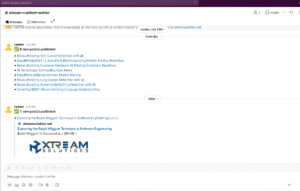
Sends a message to a Slack channel confirming the post.
jsonCopyEditNew article posted: *{{$json.title}}*
<https://xtreamsolution.net>
✅ Deployment Tips
- Test each section independently before connecting everything.
- Inspect CSS on source websites to find reliable article containers (
<article>,.post-body,.cna-article-content, etc.). - Rate limit GPT calls if needed via delay or batching.
- Use categories & tags for better SEO on WordPress.
🧠 Optional Enhancements
- Add a duplicate-check node to prevent reposting
- Generate slug from title
- Schedule GPT summaries for newsletter digests
- Add Google Sheets or Airtable backup